General Information
About
In the General Information tab, you can view and edit information of the
selected Device. You are also able to configure Device Features.
Anatomy
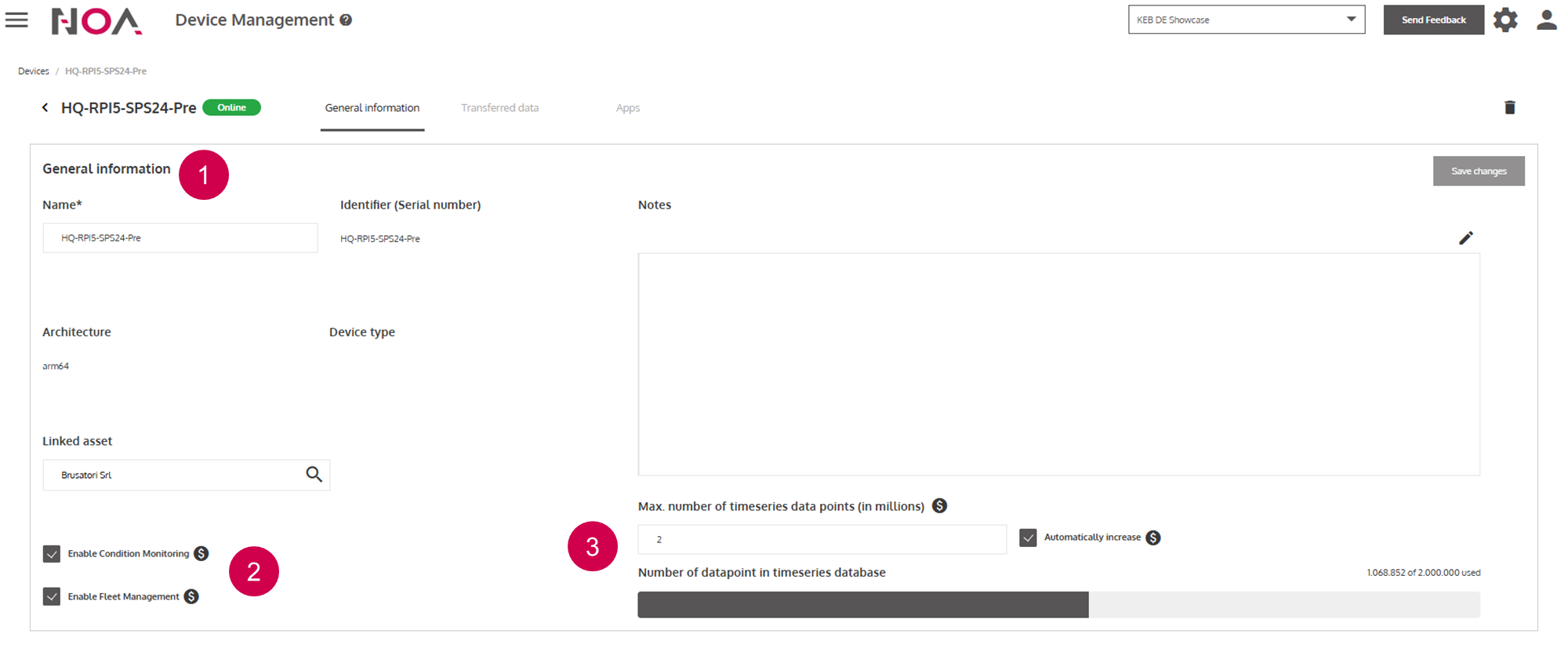
General information
Select
Device FeaturesView and set max. number of data to be transferred by the
Device
Device Features
Device Features are Condition Monitoring and Fleet Management.
When you activate them, the Transferred Data and
Apps tabs become available.
Setting max. number of data points
- You are able to set the limit of data that your
Devicestransfer to NOA Portal - The amount of data that is stored in the Cloud is a billing relevant factor
- You are able to automatically increase the data limit when it is reached, by toggling the checkbox
- If the
Devicedata reaches the limit, old data will be deleted and most recent data will be stored